Authentication Audit
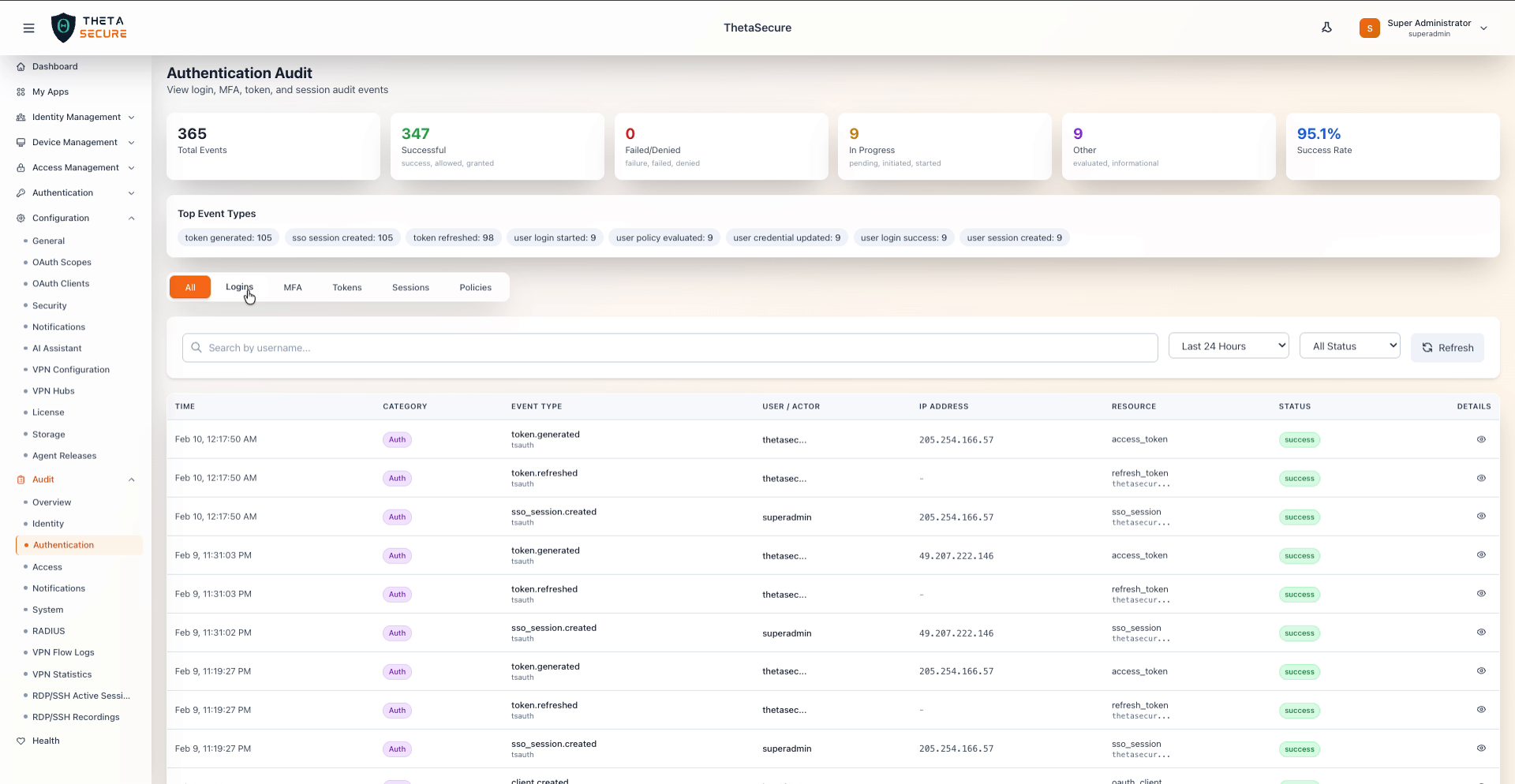
The Authentication Audit page tracks all events related to user authentication — including logins, MFA, token operations, sessions, and authentication policies. Navigate to Audit → Authentication from the sidebar.
Summary Cards
The top of the page displays six summary cards scoped to authentication events.
| Card | Description |
|---|---|
| Total Events | Total authentication audit events in the selected time range. |
| Successful | Events with a positive outcome (success, allowed, granted). |
| Failed/Denied | Events with a negative outcome (failure, failed, denied). |
| In Progress | Events still ongoing (pending, initiated, started). |
| Other | Events with informational or evaluation statuses. |
| Success Rate | Percentage of successful events out of total authentication events. |
Top Event Types
A Top Event Types section displays the most common authentication event types as tag badges. Examples include: token generated: 1.2K, sso session created: 728, token refreshed: 666, user credential updated: 133, user login started: 132, user policy evaluated: 132, user login password success: 126, user login success: 125.
Category Tabs
The Authentication Audit page provides six tabs to filter events by sub-category:
| Tab | Description |
|---|---|
| All | Displays all authentication events across every sub-category. |
| Logins | Filters to login-related events such as user login started, user login success, user login password success, and password.failed. |
| MFA | Filters to multi-factor authentication events such as MFA challenges and verifications. |
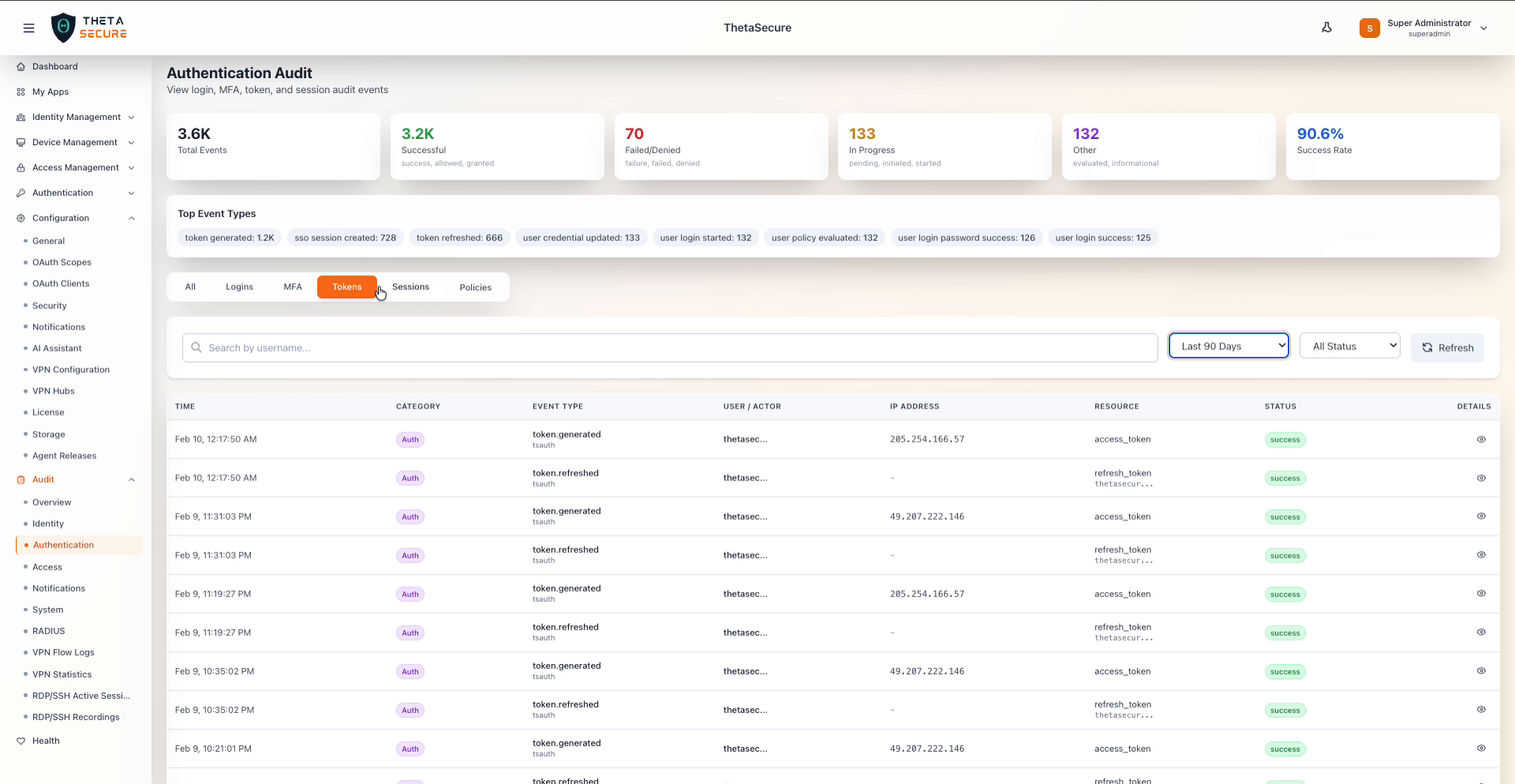
| Tokens | Filters to token-related events such as token.generated and token.refreshed. |
| Sessions | Filters to session-related events such as sso_session.created and user session created. |
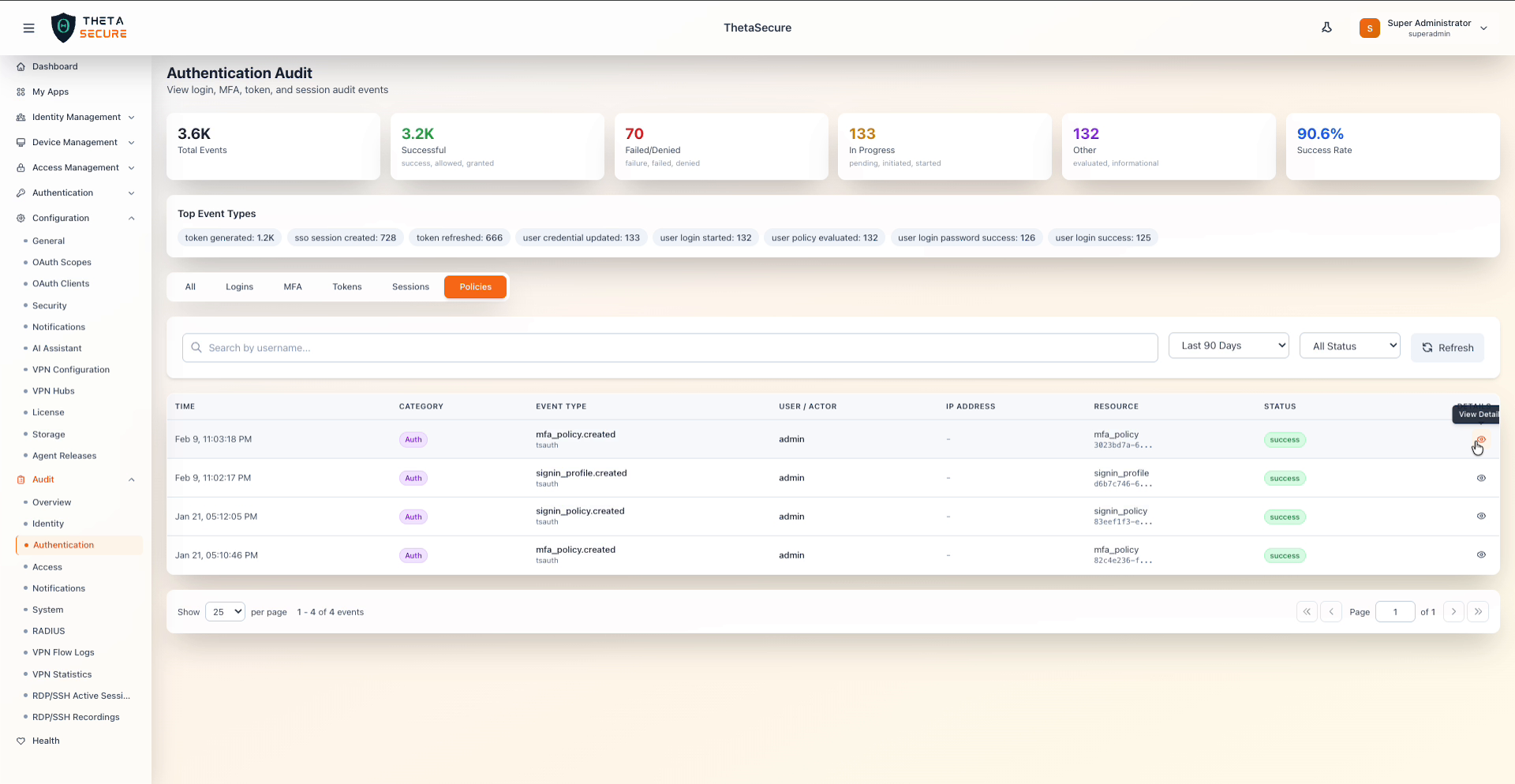
| Policies | Filters to authentication policy events such as mfa_policy.created, signin_profile.created, and signin_policy.created. |
The currently active tab is highlighted with an orange background.
Tokens Tab Example
Policies Tab Example
Filters and Search
| Control | Description |
|---|---|
| Search by username | Free-text search to filter events by a specific username or actor. |
| Time Range | Dropdown to select the time window: Last Hour, Last 24 Hours, Last 7 Days, Last 30 Days, Last 90 Days. |
| Status Filter | Dropdown to filter by event status: All Status, Success, Failure, Failed, Allowed, Denied, Granted, Evaluated, Initiated, Started, Pending. |
| Refresh | Button to reload the data with current filters. |
Event Log Table
The event log table displays authentication events with the following columns:
| Column | Description |
|---|---|
| Time | Date and time of the event. |
| Category | Shows Auth with a purple badge. |
| Event Type | The specific event type (e.g., token.generated, token.refreshed, sso_session.created, password.failed). |
| User / Actor | The user or system actor that triggered the event (e.g., superadmin, thetasec..., admin, dev). |
| IP Address | The originating IP address. |
| Resource | The affected resource and its identifier (e.g., access_token, refresh_token, sso_session, auth_session, mfa_policy, signin_policy). |
| Status | Status badge indicating the outcome (success, failure, denied). |
| Details | Eye icon to open the Event Details panel. |
Event Details Panel
Clicking the eye icon on any event opens a detail panel with full event information:
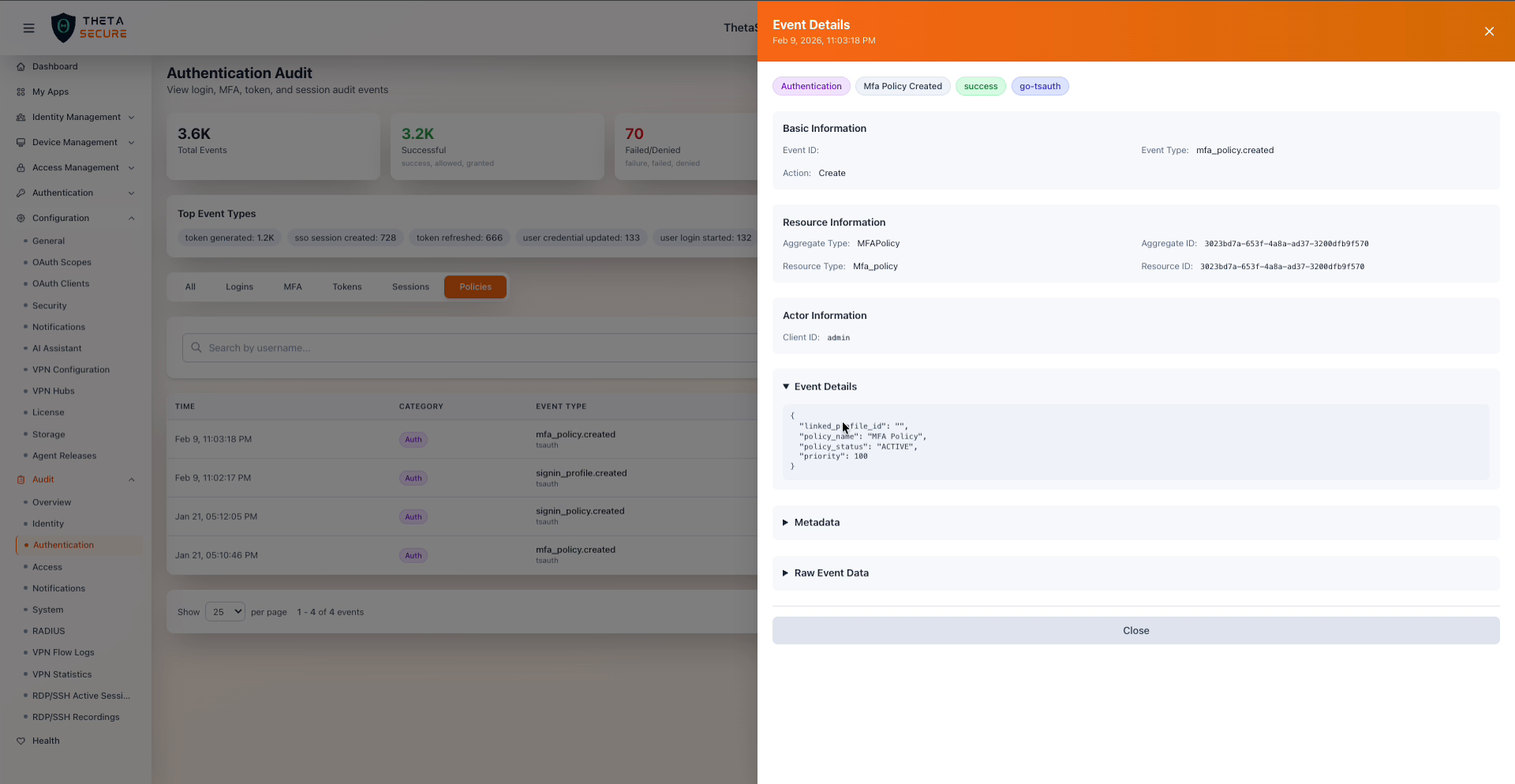
The panel includes the following sections:
- Tags — Category (Authentication), event name, status, and service (e.g.,
go-tsauth). - Basic Information — Event ID, Event Type, and Action.
- Resource Information — Aggregate Type (e.g.,
MFAPolicy), Aggregate ID, Resource Type (e.g.,Mfa_policy), and Resource ID. - Actor Information — Client ID of the actor (e.g.,
admin). - Event Details — A JSON block with event-specific fields such as
linked_profile_id,policy_name,policy_status, andpriority. - Metadata — Expandable section with additional metadata.
- Raw Event Data — Expandable section showing the complete raw event payload.
Common Authentication Event Types
| Event Type | Description |
|---|---|
token.generated | A new access token was generated. |
token.refreshed | An existing token was refreshed. |
sso_session.created | A new SSO session was established. |
password.failed | A password authentication attempt failed. |
mfa_policy.created | A new MFA policy was created. |
signin_profile.created | A new sign-in profile was created. |
signin_policy.created | A new sign-in policy was created. |
user login started | A user login flow was initiated. |
user login success | A user successfully logged in. |
user credential updated | A user's credentials were updated. |
user policy evaluated | A user's authentication policy was evaluated. |