Statistics Dashboard
The Statistics Dashboard provides a comprehensive inventory of all resources managed by ThetaSecure. It gives you an at-a-glance view of your identity infrastructure without needing to navigate into individual modules.
Navigation: Dashboard \u2192 Statistics tab
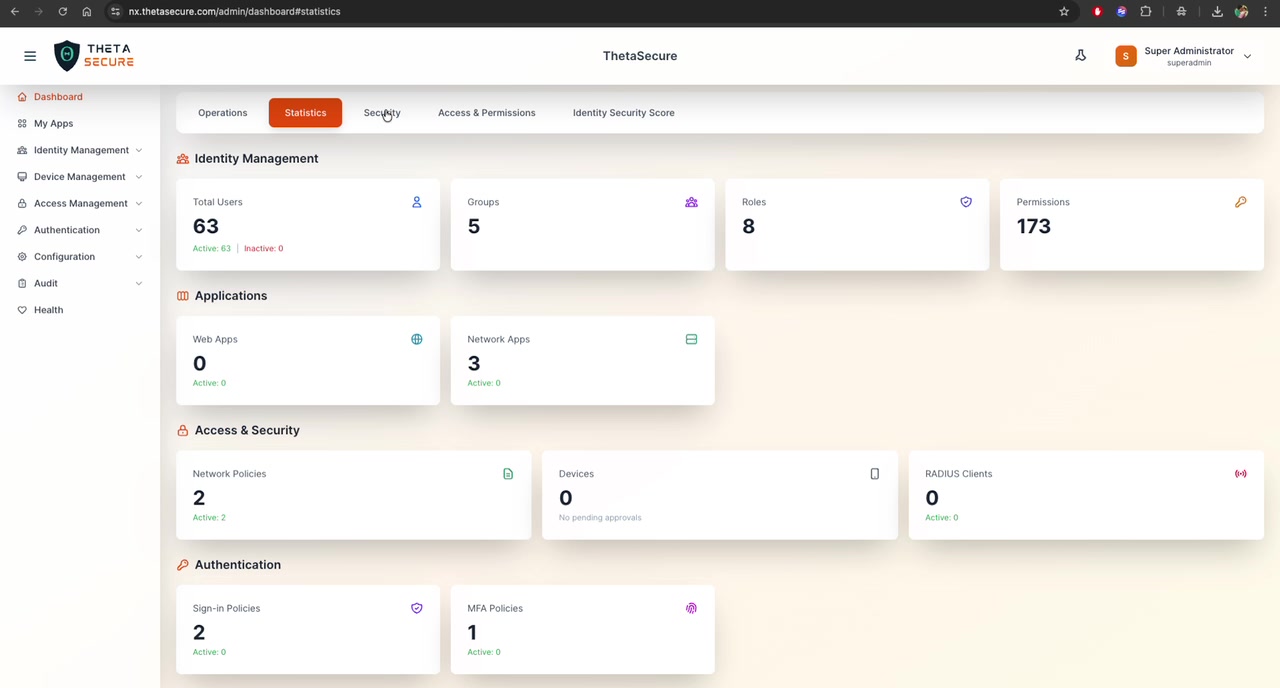
Dashboard Sections
Identity Management
A summary of your organization's identity infrastructure:
| Card | Description | Example |
|---|---|---|
| Total Users | Total number of user accounts in the system | 63 (Active: 63, Inactive: 0) |
| Groups | Number of user groups configured | 5 |
| Roles | Number of roles defined | 8 |
| Permissions | Total number of permission rules | 173 |
Each card is clickable and navigates to the corresponding management page for detailed configuration.
Applications
Shows the count of registered applications by type:
| Card | Description | Example |
|---|---|---|
| Web Apps | Browser-based applications integrated with ThetaSecure SSO | 0 (Active: 0) |
| Network Apps | Network-level applications (e.g., VPN, RADIUS-protected resources) | 3 (Active: 0) |
Access & Security
Displays the current state of access control configurations:
| Card | Description | Example |
|---|---|---|
| Network Policies | Number of network access policies defined | 2 (Active: 2) |
| Devices | Registered devices and pending approvals | 0 (No pending approvals) |
| RADIUS Clients | Network equipment configured as RADIUS clients | 0 (Active: 0) |
Authentication
Overview of authentication policy configurations:
| Card | Description | Example |
|---|---|---|
| Sign-in Policies | Rules governing how users authenticate | 2 (Active: 0) |
| MFA Policies | Multi-factor authentication enforcement rules | 1 (Active: 0) |
Directory Sync
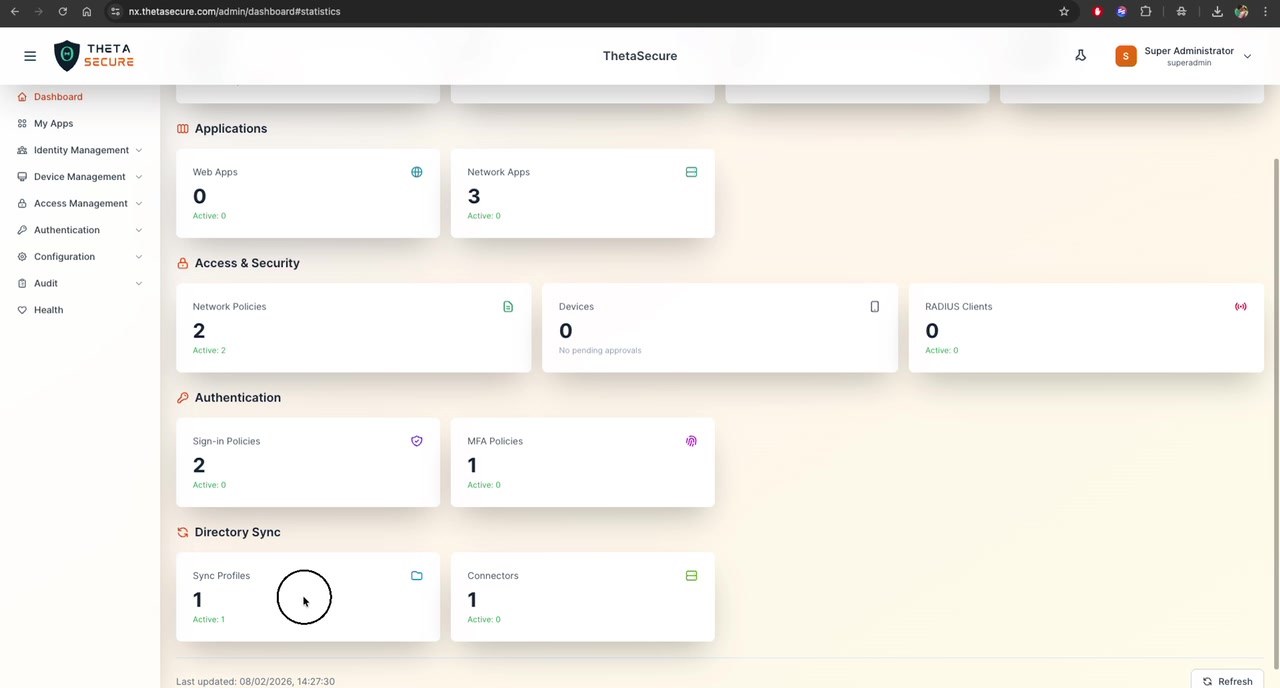
Status of directory synchronization connections:
| Card | Description | Example |
|---|---|---|
| Sync Profiles | Configured directory sync profiles | 1 (Active: 1) |
| Connectors | Directory connectors (AD, LDAP, Cloud) | 1 (Active: 0) |
The page footer shows the Last updated timestamp (e.g., 08/02/2026, 14:27:30) and a Refresh button.
Using the Statistics Dashboard
The Statistics Dashboard is ideal for:
- Onboarding audits: Verify that all expected users, groups, and roles have been provisioned
- Configuration reviews: Confirm the right number of policies and applications are in place
- Compliance checks: Document the current state of your IAM configuration for auditors
- Quick health checks: Spot missing configurations (e.g., 0 active MFA policies may indicate MFA is not enforced)
If you see \